Control at Your Fingertips
Turn your mobile phone or tablet into a set of wireless mouse, keyboard and trackpad.

500K+
Active Users
2M+
Downloads
3
Devices Supported
4.8★
Rating
Why Choose Remote Mouse?
Keyboard, Mouse and Touchpad
Control made simple. It's a perfect combination of the three most common remote control devices with smarter multi-touch gestures.
Control Panels
Specialized control panels for various applications. Perfect for presentations, media control, and everyday tasks.
Power Control Device
Control all power options on your device - shut down, restart, hibernate, and log off remotely.
File Transfer
Transfer files seamlessly between your mobile device and computer with ease.
Clipboard Sync
Synchronize clipboard content between devices instantly for improved productivity.
Secure Connection
End-to-end encrypted communication ensures your data remains private and secure.
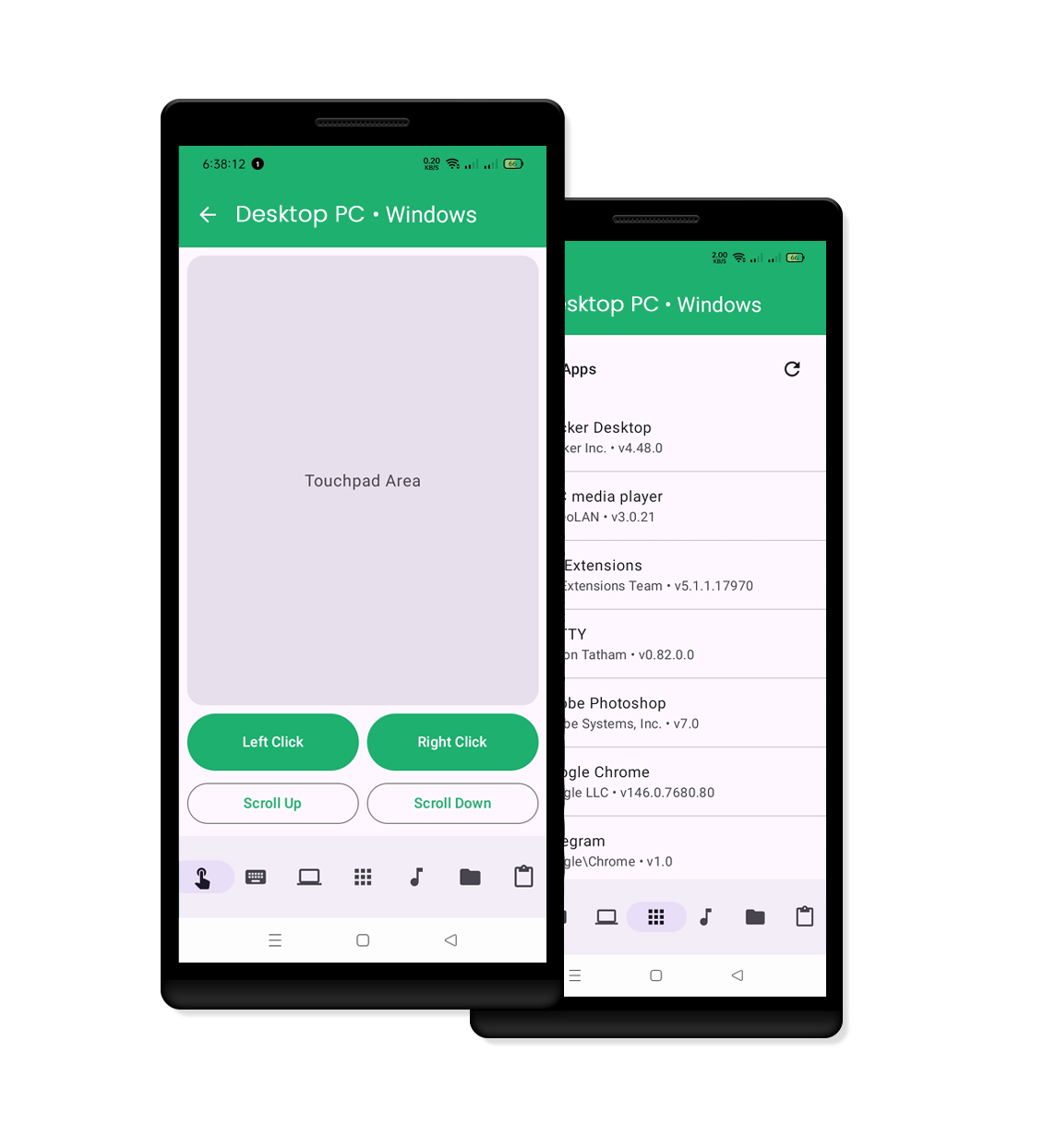
Wireless Mouse & Keyboard
Control made simple. It's a perfect combination of 3 most common remote control devices with smarter multi-touch gestures.
Whether you're working on a document, browsing the web, or giving a presentation, the intuitive touchpad feature ensures precision and ease of use.
Learn MoreAdvanced Control Panels
Watching videos in bed? Filling house with music? Or making a self-running presentation? Remote Mouse allows you to control your computer freely.
From media controls to web browsing, everything is at your fingertips with customizable control panels.
View All Features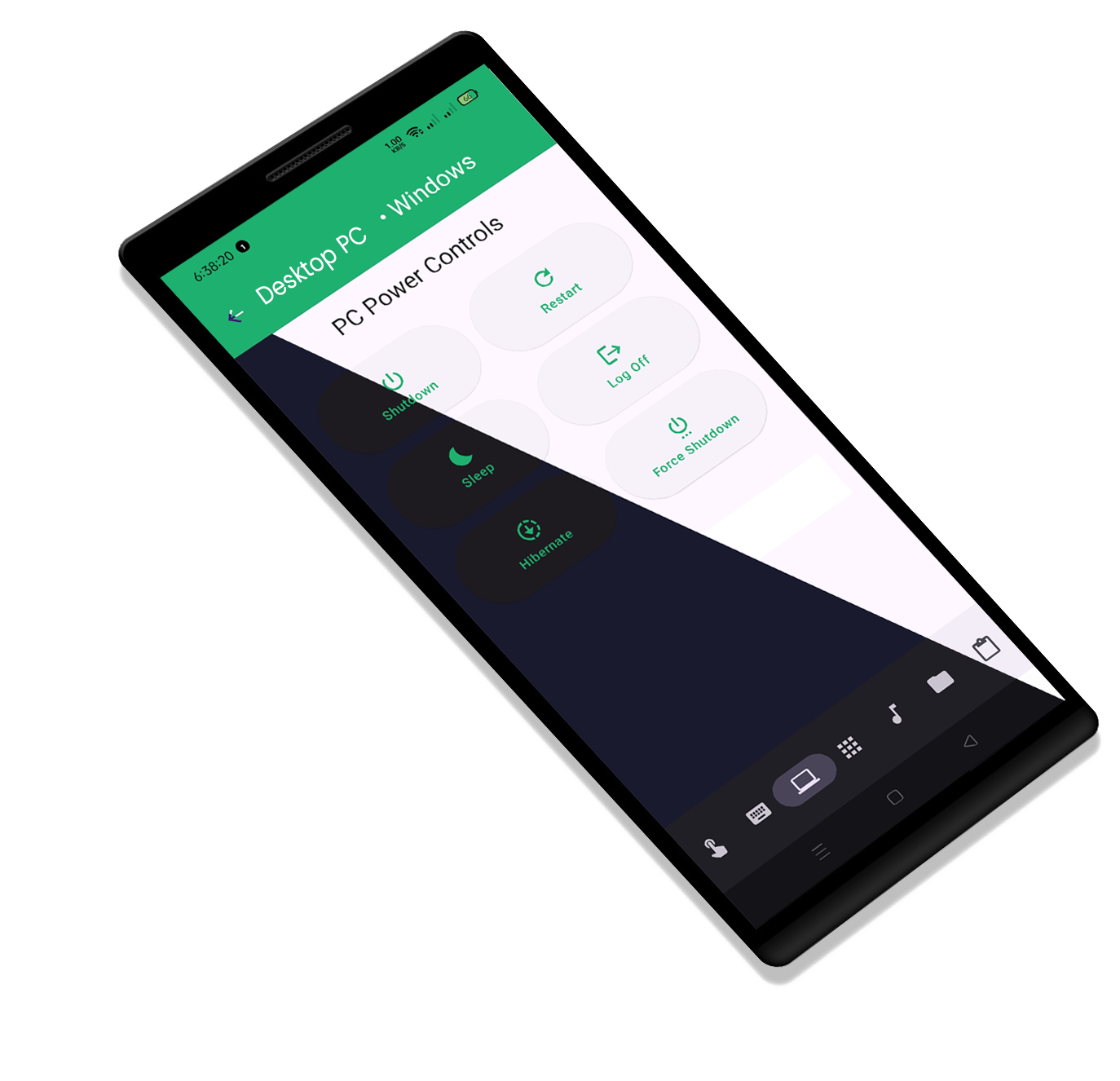
Power Option Control
Seamlessly manage the power options of your computer from your mobile device across multiple platforms.

Power Options
Shut down, restart, log off or put computer to sleep in one click.
Application Remote
Quickly launch and switch between applications with ease.
Keyboard and Mouse Control
Full control of your computer's mouse and keyboard from your mobile device.
Security First
End-to-end encryption ensures your data is always protected and secure.
Available on Multiple Platforms
Remote Mouse works seamlessly across your favorite devices
What Users Say
Join thousands of satisfied users worldwide
"Remote Mouse has transformed the way I control my presentations. The app is incredibly responsive and easy to use. Highly recommend it for anyone looking to streamline their workflow."

"This app is a game-changer! I can now control all my installed applications and power options with ease. The mouse and keyboard functionality is superb."

"Remote Mouse is incredibly versatile. I love being able to control my computer from anywhere in the house. The power options feature is especially handy."

"I use Remote Mouse for all my remote control needs. It's intuitive and has made my life so much easier. The support for mouse and keyboard control is fantastic."

"The Remote Mouse app is brilliant. It allows me to manage my computer's power settings and control applications seamlessly. It's a must-have for anyone looking for a remote control solution."

Ready to Control Your Computer?
Get started in minutes. It's free and easy to use.